How to delete your personal account
You can delete a personal qid account in the app. That also removes your personal data from qid, except where we still need it for a past share or another law. No longer have the app? You can delete from this page instead.
Delete in the qid app
out of 4
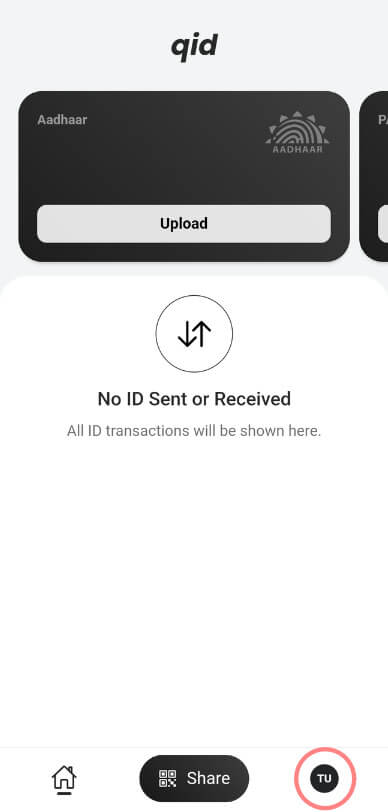
Open Settings
Open the qid app and tap your profile avatar in the bottom tab bar.
out of 4
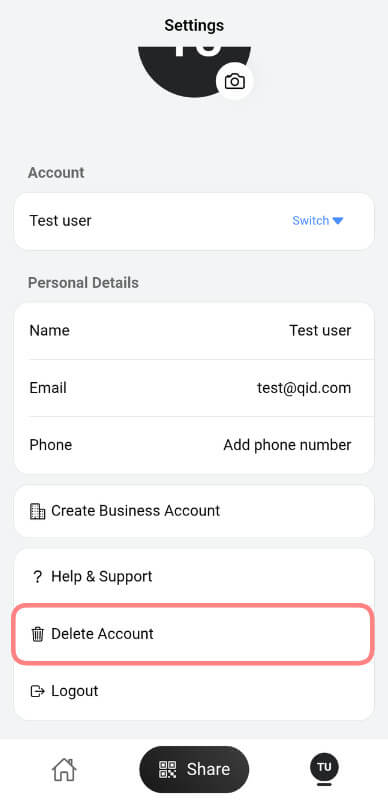
Tap Delete Account
On a personal account, tap Delete Account. Business accounts do not show this option.
out of 4
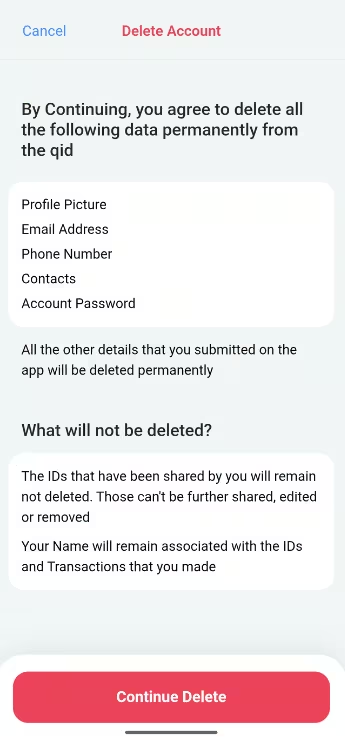
Review what will be removed
Read what data we delete and what we keep, then tap Continue Delete.
out of 4
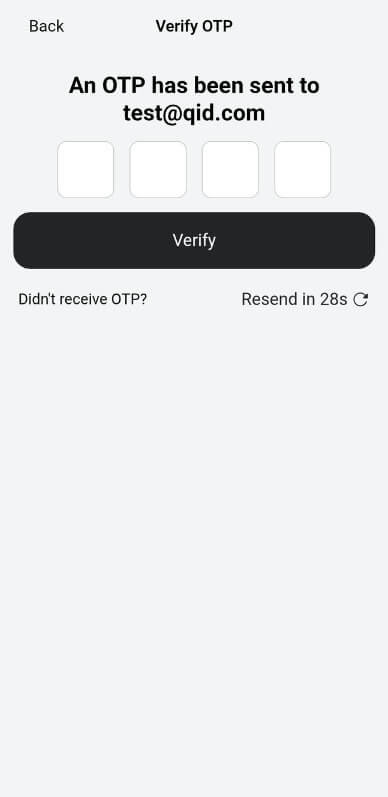
Confirm with OTP
Enter the 4-digit code sent to your email, or to your phone if the account has no email. After a successful verify, your account is deleted and you are signed out.
What gets deleted
When you delete your account, we permanently remove:
- Profile picture
- Email address
- Phone number
- Contacts
- Account password
Other details you submitted in the app are removed too, once they are no longer needed.
What stays
A few things stay when they are still needed for a past action, or because another law requires it:
- IDs you already shared stay with the recipient. They cannot be shared further, edited, or removed from that side.
- Your name stays linked to those IDs and to transactions you already completed.
Tell us why you are leaving
Optional. Feedback does not delete your account.
Prefer to do this in a browser?
Need help? Contact support